I wrote this post over at my WordPress.com blog, but I figured I would post it here because people actually read this one.
You might have noticed the new tab in the media box at WordPress.com labeled “Browse Flickr”. I am partially responsible for that functionality. Andy Skelton coded the bulk of the media browser, and I added the Flickr tab by copying a lot of his code and mixing in the Flickr API.
Rather than bore you with written details of how it works, I’ll just direct you to the animations I made for using the media browser on both Internet Explorer and Firefox. Check them out, there are instructions in the photo descriptions for each!
On Firefox: 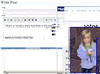
On Internet Explorer: 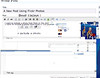
Comments
To comment on this post, search for this URL in your ActivityPub client (such as Mastodon):
https://asymptomatic.net/posts/how-to-use-flickr-on-wordpresscomNo comments yet. Be the first to reply via ActivityPub!